
 Home »
 Ad Blocker for Opera is the solution for removing all distracting ads and pop-ups during browsing. Enjoy a more transparent and agile online experience.
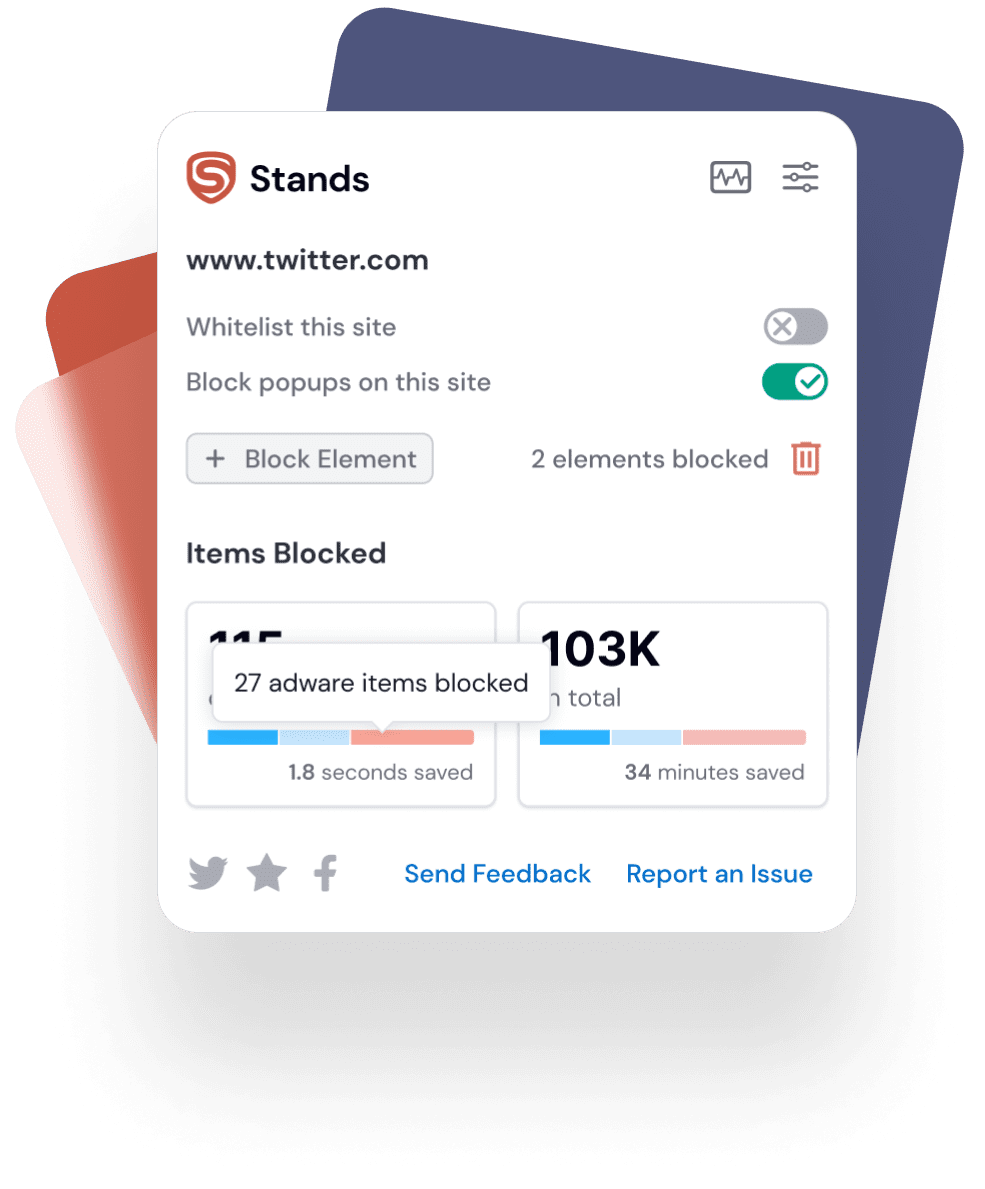

Consider an Ad Blocker for Opera when you want to block all ads effectively while using Opera to stay focused on your tasks.

Consider an Ad Blocker for Opera to reduce the risk of advertising-related online risks and ensure improved browsing.

Consider an Ad Blocker for Opera when you want to save on data costs and avoid using a battery for unwanted ads.
Get premium ad-blocking without the premium price tag.
Reduces data usage and speeds up webpage loading.
Maintains website functionality and aesthetics.


With Stands, you can stop pop-ups while browsing. Get the best adblocker for Opera to focus on the most important content. Stay focused on what matters the most.

Experience a cleaner browsing with Stands AdBlocker for Opera. Say goodbye to unwanted ads on social media. Whether scrolling through your feed or watching videos, enjoy an uninterrupted experience.

With Stands AdBlocker for Opera, users can effortlessly bypass YouTube ads, ensuring a smoother video-watching session. Delight in your preferred content without the hassle of unwanted ads.
This public link is valid for 7 days and shares a thread, including any personal information you added. This link or copies made by others cannot be deleted. If you share with third parties, their policies apply. Can’t copy the link right now. Try again later.
For the S7-200, legacy utility files often provided specific commands or communication scripts via PPI (Point-to-Point Interface) cables to intercept the authentication handshake between the PLC and the STEP 7-Micro/WIN software. Modern and Safe Troubleshooting Alternatives
Hold until the STOP LED blinks rapidly (~5 seconds), then release and press it again within 3 seconds.
Because this specific filename is well-known in industrial circles, malicious actors frequently use it as bait. "Hot" .rar or .zip files found on untrusted file-sharing sites often contain Trojan horses, ransomware, or keyloggers designed to compromise your engineering workstation. 2. Irreparable Hardware Corruption This public link is valid for 7 days
The cracking process may take several minutes or hours, depending on the complexity of the password.
While these tools provided a lifeline for engineers who lost access to their own proprietary source code, they also highlighted significant security vulnerabilities in older Siemens hardware architectures. 🛠️ The Purpose of Legacy MMC Unlock Tools
To help give you the most accurate advice for your specific situation, tell me: Can’t copy the link right now
In the landscape of industrial automation, Siemens SIMATIC PLCs have long held a dominant position. However, with robust security comes the frustration of forgotten passwords. Between 2005 and 2010, as Siemens transitioned from older systems to the S7-300 MMC (Micro Memory Card) era, a wealth of knowledge was shared across community forums regarding password recovery.
Unlocking SIMATIC S7-200 and S7-300 MMC passwords can be a challenging task, but with the right tools and resources, it is achievable. The 2006-09-11 RAR files provide a comprehensive solution for users who need to regain access to their PLC configurations. By following the steps outlined in this article and taking necessary precautions, users can successfully unlock their MMC passwords and regain access to their PLC configurations.
Older methods could sometimes corrupt the MMC file system if not handled correctly. Conclusion Modern and Safe Troubleshooting Alternatives Hold until the
To understand the subject, we must first break down the keyword into its core components:
Given these risks, it's essential to consider safer, official alternatives before resorting to third-party tools.
: On older S7-200 firmware versions, passwords were vulnerable to specific memory-reading exploits via the PPI (Point-to-Point Interface) protocol. However, Siemens designed the system so that if a password is completely lost, the official recourse is to execute a Clear All command. This resets the PLC to factory defaults, erasing the password alongside the protected intellectual property to maintain security integrity. SIMATIC S7-300 and MMC Architecture

Yes, ad blockers like Stands Free AdBlocker are legal to use in Opera. Browsers like Opera allow users to install extensions that enhance their browsing experience, and ad blockers are a popular choice among users looking for a cleaner, distraction-free web experience.
Yes, Stands AdBlocker for Opera is free to use. While there are many ad blockers available, Stands Adblocker offers a reliable and user-friendly option without any cost. There are donations to support the developers, but the basic ad-blocking functionality is available for free.
Stands AdBlocker effectively blocks a wide range of ads in Opera including pop-ups, video ads, banner ads, and intrusive display ads. Whether you’re reading an article, watching a video, or simply browsing, Stands AdBlocker ensures an ad-free experience, so you can focus on the content without any disturbances.
Sí, “addblock opera” es un error tipográfico común. El término correcto es “adblock opera” o “ad block opera”. Stands Free AdBlocker es compatible con Opera y Opera GX independientemente de cómo lo busques.

Based on 136k reviews
From more than 170 countries
In the Top 10 AdBlockers

“I am using this AdBlocker for over a year now and it has been my most preferable AdBlocker. Will continue using it for a long time”
“I love this AdBlocker. this is the only ad block ill ever use. whenever i get a new device, this is the first extension I instal. I used others before but this one, imho, is simply the best. It stays on top of things, it always blocks the ads, AND popups. I love this ad block so much”
“Great app, cleans web pages and saves your lifetime by disabling unwanted ads! Highly recommend”

Your form has been submitted
OK