Mtk Gsm Sulteng Tool V139 Install __top__ -

Most servicing tools are flagged as "false positives" by Windows Defender or antivirus software because they interact with system-level partitions. You may need to temporarily disable your antivirus or add the tool's folder to the exclusion list. Run the Tool: Launch the executable file (usually MTK_GSM_SULTENG.exe Administrator Basic Usage Tip

Follow these precise steps to install MTK GSM Sulteng Tool V1.3.9 properly on your PC: Step 1: Disable Your Antivirus

Using tools like MTK GSM Sulteng requires a technical understanding of mobile firmware. Improper use can lead to "bricking" a device (making it unbootable). Furthermore, these tools should only be used for legitimate purposes, such as recovering access to your own device or performing authorized repairs. Always ensure you are using the most stable version available to avoid bugs present in older releases like v1.3.9.

And somewhere in Poso, Kang Amar—a man nobody had ever seen—kept coding v140, alone in a dim room, knowing that every install whispered his name across the valleys and coastlines of Sulteng.

Click the operation you need to perform, such as Erase FRP or Factory Reset . Execute: Click the Start button in the tool interface.

Warning: flashing or using vendor tools can brick devices and may void warranties. Proceed only on devices you own.

Wait for the user interface to load. No hardware dongle or activation key is required for this version. How to Use the Tool for FRP Bypass Launch the tool as an administrator.

Approximately 25–40 MB

Select your device brand and model from the menu, or use the tab.

He opened the tool one last time. In the section:

Release the keys immediately when the software detects the phone and starts flashing. 4. Wait for Completion

The tool cannot communicate with your phone without specific filters.

Choose the correct brand or, for better compatibility, "Auto" or the specific MTK model.

Disclaimer: This tool is intended for personal use or for repairing your own devices. Always verify the source of the software you download to avoid malware.

In this guide, we have covered the installation process of MTK GSM Sulteng Tool v1.39. By following these steps, you should be able to successfully install the tool on your computer. If you encounter any issues, refer to the troubleshooting section or seek help from online forums or technical support.

: Unlocks or relocks the device bootloader with a single click. System Requirements

Choose the desired action from the tabbed interface (e.g., FRP , Format , or Unlock ).
Most servicing tools are flagged as "false positives" by Windows Defender or antivirus software because they interact with system-level partitions. You may need to temporarily disable your antivirus or add the tool's folder to the exclusion list. Run the Tool: Launch the executable file (usually MTK_GSM_SULTENG.exe Administrator Basic Usage Tip

Follow these precise steps to install MTK GSM Sulteng Tool V1.3.9 properly on your PC: Step 1: Disable Your Antivirus

Using tools like MTK GSM Sulteng requires a technical understanding of mobile firmware. Improper use can lead to "bricking" a device (making it unbootable). Furthermore, these tools should only be used for legitimate purposes, such as recovering access to your own device or performing authorized repairs. Always ensure you are using the most stable version available to avoid bugs present in older releases like v1.3.9.

And somewhere in Poso, Kang Amar—a man nobody had ever seen—kept coding v140, alone in a dim room, knowing that every install whispered his name across the valleys and coastlines of Sulteng.

Click the operation you need to perform, such as Erase FRP or Factory Reset . Execute: Click the Start button in the tool interface.

Warning: flashing or using vendor tools can brick devices and may void warranties. Proceed only on devices you own.

Wait for the user interface to load. No hardware dongle or activation key is required for this version. How to Use the Tool for FRP Bypass Launch the tool as an administrator.

Approximately 25–40 MB

Select your device brand and model from the menu, or use the tab.

He opened the tool one last time. In the section:

Release the keys immediately when the software detects the phone and starts flashing. 4. Wait for Completion mtk gsm sulteng tool v139 install

The tool cannot communicate with your phone without specific filters.

Choose the correct brand or, for better compatibility, "Auto" or the specific MTK model.

Disclaimer: This tool is intended for personal use or for repairing your own devices. Always verify the source of the software you download to avoid malware.

In this guide, we have covered the installation process of MTK GSM Sulteng Tool v1.39. By following these steps, you should be able to successfully install the tool on your computer. If you encounter any issues, refer to the troubleshooting section or seek help from online forums or technical support.

: Unlocks or relocks the device bootloader with a single click. System Requirements

Choose the desired action from the tabbed interface (e.g., FRP , Format , or Unlock ).
​SOLID SANDSTONE


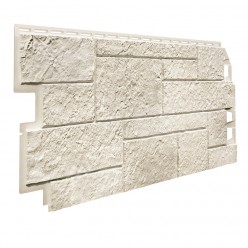
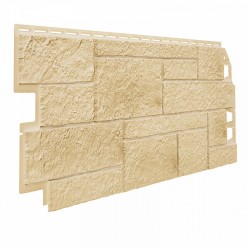
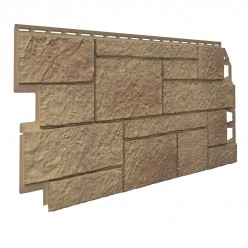
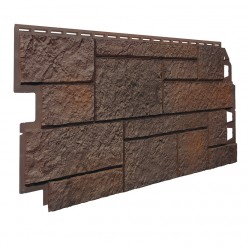
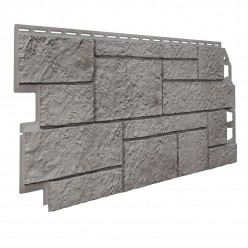
Придать внушительный и презентабельный вид малоэтажному строению жилого или административного характера позволят фасадные панели Vox Solid Sandstone.

  • Они гармонично объединяют в себе функциональность, привлекательность и практичность.
  • Быстро монтируются, скрадывая архитектурные недочёты стен и маскируя подведённые к зданию коммуникации.
  • Не создают проблем с последующим уходом за фасадом.
  • Обладают повышенной ударопрочностью и пожаростойкостью.
  • Обеспечивают тепло- и звукоизоляцию стен.
  • Лицевая часть панелей имитирует кладку из обработанного камня горных пород. Цветовая палитра соответствует природным оттенкам камня.
Вызов замерщика
Расчет и подбор материалов
Монтаж сайдинга и фасадных панелей
Консультации по уходу
Акции и скидки
Акция - 11%
Фасадная панель VOX Solid Sandstone Бежевый/Beige

720640/шт. 1 524 р/м²
Количество панелей на 1 м²: 3

5.0

На складе

Акция - 11%
Фасадная панель VOX Solid Sandstone Кремовый/CREME

720640/шт. 1 524 р/м²
Количество панелей на 1 м²: 3

5.0

На складе

Акция - 11%
Фасадная панель VOX Solid Sandstone Светло-коричневый/LIGHT BROWN

720640/шт. 1 524 р/м²
Количество панелей на 1 м²: 3

5.0

На складе

Акция - 11%
Фасадная панель VOX Solid Sandstone Темно-коричневый/DARK BROWN
Хит продаж

720640/шт. 1 524 р/м²
Количество панелей на 1 м²: 3

5.0|7 заказов

На складе

Акция - 11%
Фасадная панель VOX Solid Sandstone Светло-серый/LIGHT GREY
Хит продаж

720640/шт. 1 524 р/м²
Количество панелей на 1 м²: 3 Improper use can lead to "bricking" a device

5.0|22 заказа

На складе

Акция - 11%
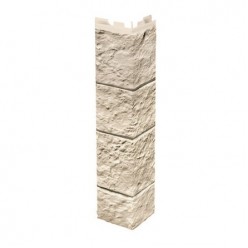
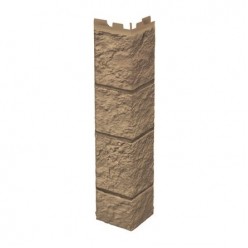
Угол наружный VOX Solid Sandstone (Песчаник), Кремовый
Акция - 11%
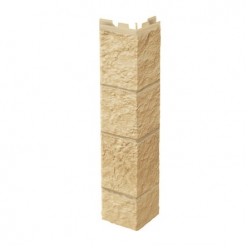
Угол наружный VOX Solid Sandstone (Песчаник), Бежевый
Акция - 11%
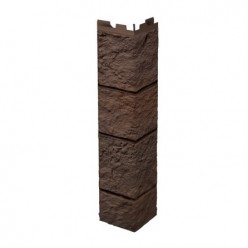
Угол наружный VOX Solid Sandstone (Песчаник), Темно-коричневый
Акция - 11%
Угол наружный VOX Solid Sandstone (Песчаник), Светло-коричневый
Акция - 11%
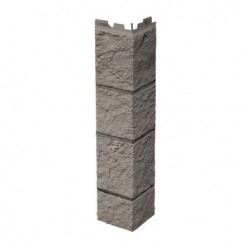
Угол наружный VOX Solid Sandstone (Песчаник), Светло-серый